DecisionFlow User Manual
DecisionFlow is a web application for building, testing, versioning, and publishing decision workflows. This manual walks through a real example: a sales team evaluates incoming lead data to return a lead score category.
Example Input (JSON)
{
  "company": "Acme Manufacturing",
  "industry": "Manufacturing",
  "employeeCount": 85,
  "annualRevenue": 2500000,
  "source": "Referral",
  "requestedDemo": true,
  "budgetConfirmed": true
}
Example Output
"Hot Lead"The example workflow classifies leads as Hot Lead, Warm Lead, or Nurture so sales can route follow-up effectively.
Getting Started
- Open DecisionFlow in your browser.
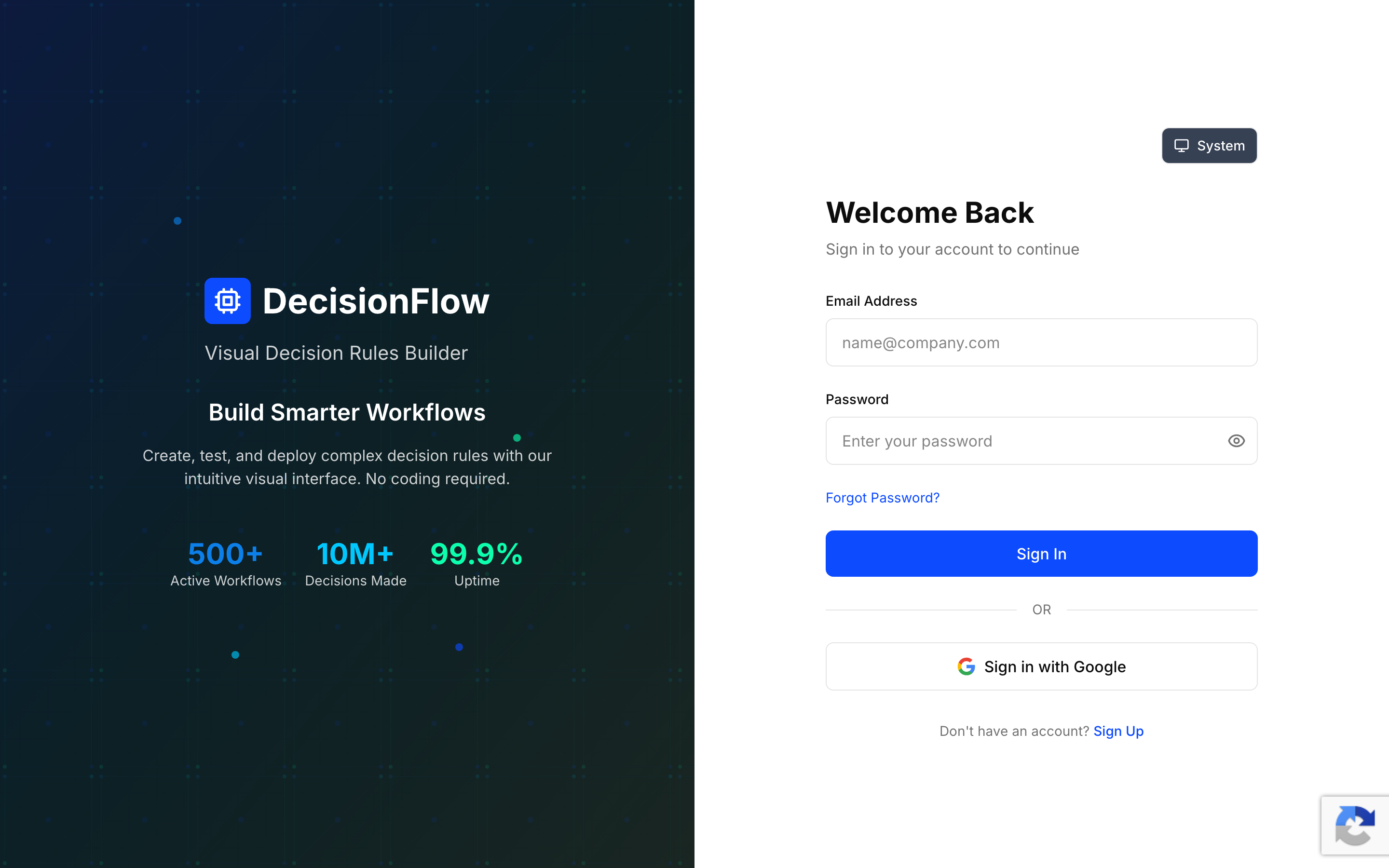
- Sign in with email/password or use Google Sign-In if enabled.
- Complete multi-factor verification if required.
- If you belong to more than one organization, choose the organization to work in.
If you received an invitation, use the invitation link to complete sign-up. If you forget your password, select Forgot Password on the sign-in page.
Roles and Permissions
Roles are assigned at the organization level. A user may have different roles in different organizations.
Admin
Full organization access. Admins can:
- Manage team members and invitations
- Manage organization auth tokens
- Create, edit, test, and version workflows
- Deploy and undeploy production versions
- Import and export workflows
- View audit logs
- Manage organization settings
Editor
Workflow development access. Editors can:
- Create workflows
- Edit workflows
- Test workflows
- Create and manage workflow versions
- View audit logs
Editors cannot:
- Deploy or undeploy workflows
- Import or export workflows
- Manage team members
- Manage organization auth tokens
Viewer
Read-only access. Viewers can:
- Browse workflows
- View workflow logic
- Review audit history
- Copy endpoint URLs
Viewers cannot:
- Create or edit workflows
- Test workflows
- Create versions
- Delete workflows
- Publish or deploy workflows
Note: Permissions apply per organization. A user may be an Admin in one organization and a Viewer or Editor in another.
Navigation
The sidebar is the primary way to move through DecisionFlow:
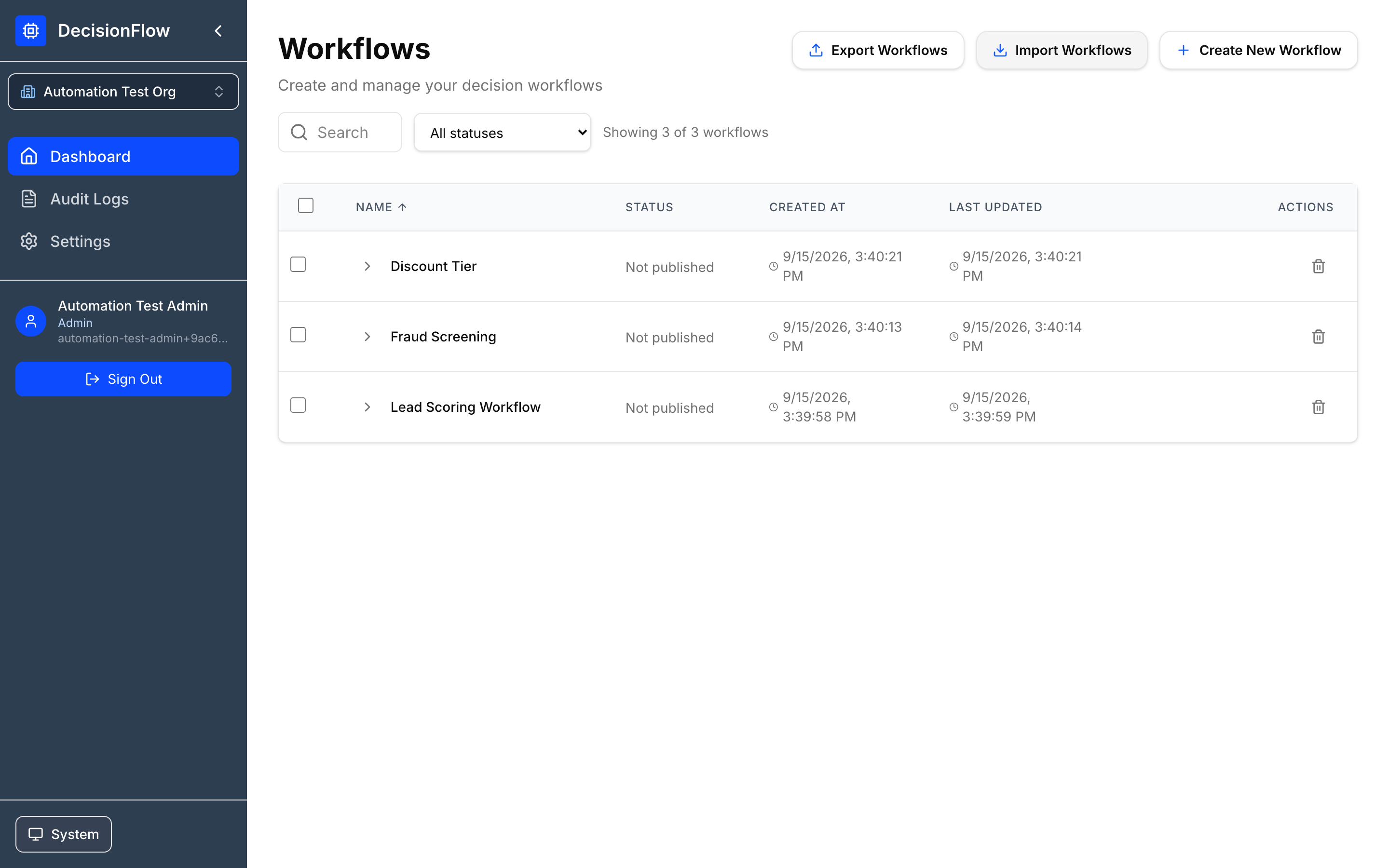
- Dashboard: Create, open, search, import, export, version, publish, and delete workflows.
- Admins: Full workflow management
- Editors: Create, edit, test, and version workflows
- Viewers: Browse workflows and copy endpoint URLs
- Audit Logs: Review organization activity.
- Settings: Manage profile, team, security, and auth token settings.
For the lead scoring example, start on Dashboard to create a workflow. Return later to manage versions and publishing.
Organizations
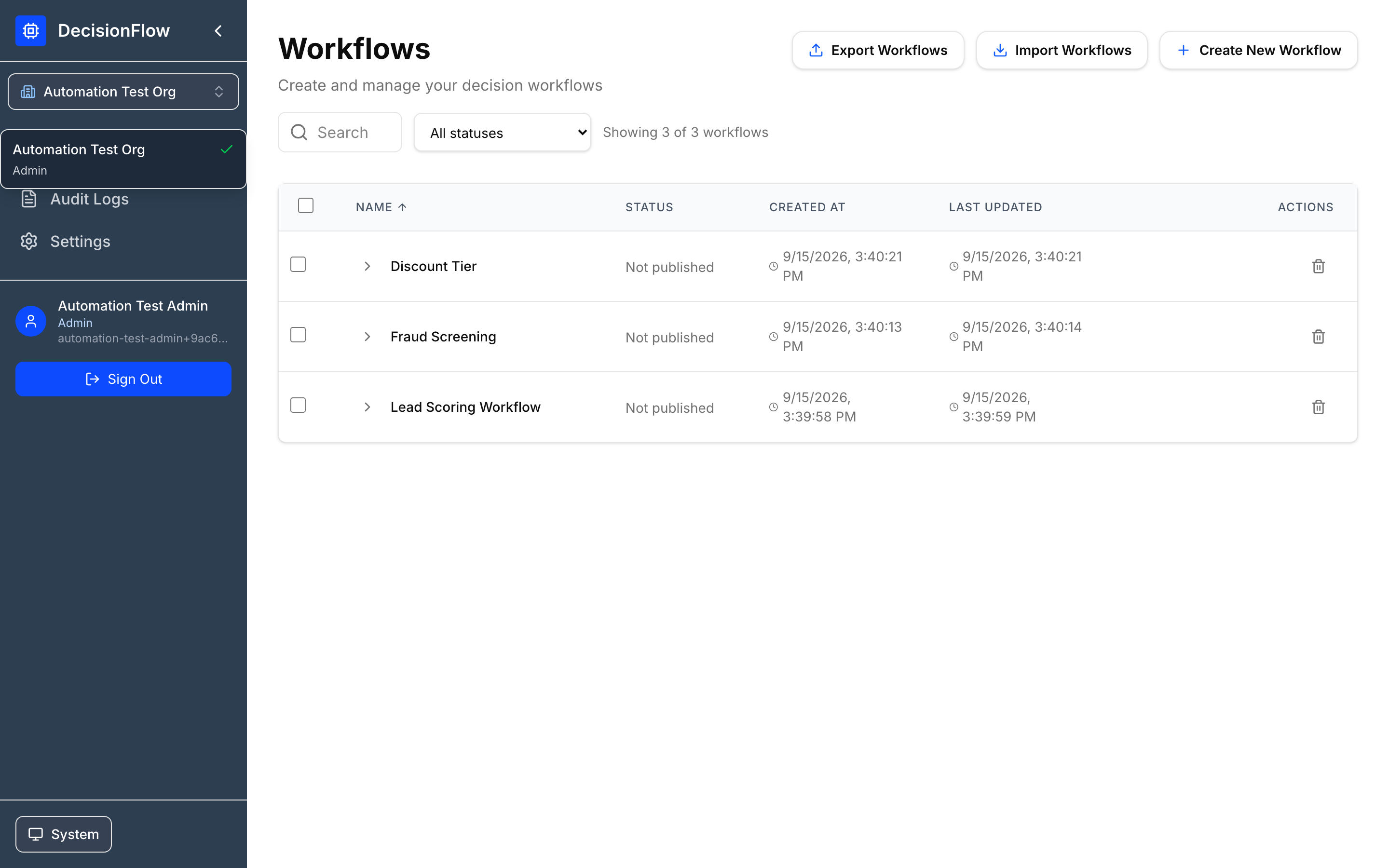
DecisionFlow is multi-tenant. Each organization has its own workflows, users, audit logs, versions, and deployments. Use the organization switcher to move between orgs. Ensure you are in the org that owns the sales process and lead data.
Common roles
- Admin: Manages members, organization auth tokens, workflows, versions, and publishing.
- Editor: Creates and edits workflows when permitted.
- Viewer: Views data but cannot edit or publish.
Workflows
The Dashboard lists workflows for the selected organization. For the tutorial, create Lead Scoring Workflow.
Typical dashboard actions
- Search workflows; filter by status.
- Create a new workflow.
- Expand a workflow to inspect versions.
- Open for editing.
- Import or export workflow definitions.
- Copy endpoint URLs.
- Publish, unpublish, duplicate, or delete versions (when permitted).
Permissions
- Admins: Full workflow management, including import/export and deployment.
- Editors: Create, edit, test, and version workflows.
- Viewers: View workflow definitions and version history only.
Create the lead scoring workflow
- Select Create New Workflow.
- If prompted by the AI assistant, choose manual creation.
- Name it
Lead Scoring Workflow. - Open the Workflow Editor to configure the lead payload and scoring rule.
Workflow Editor
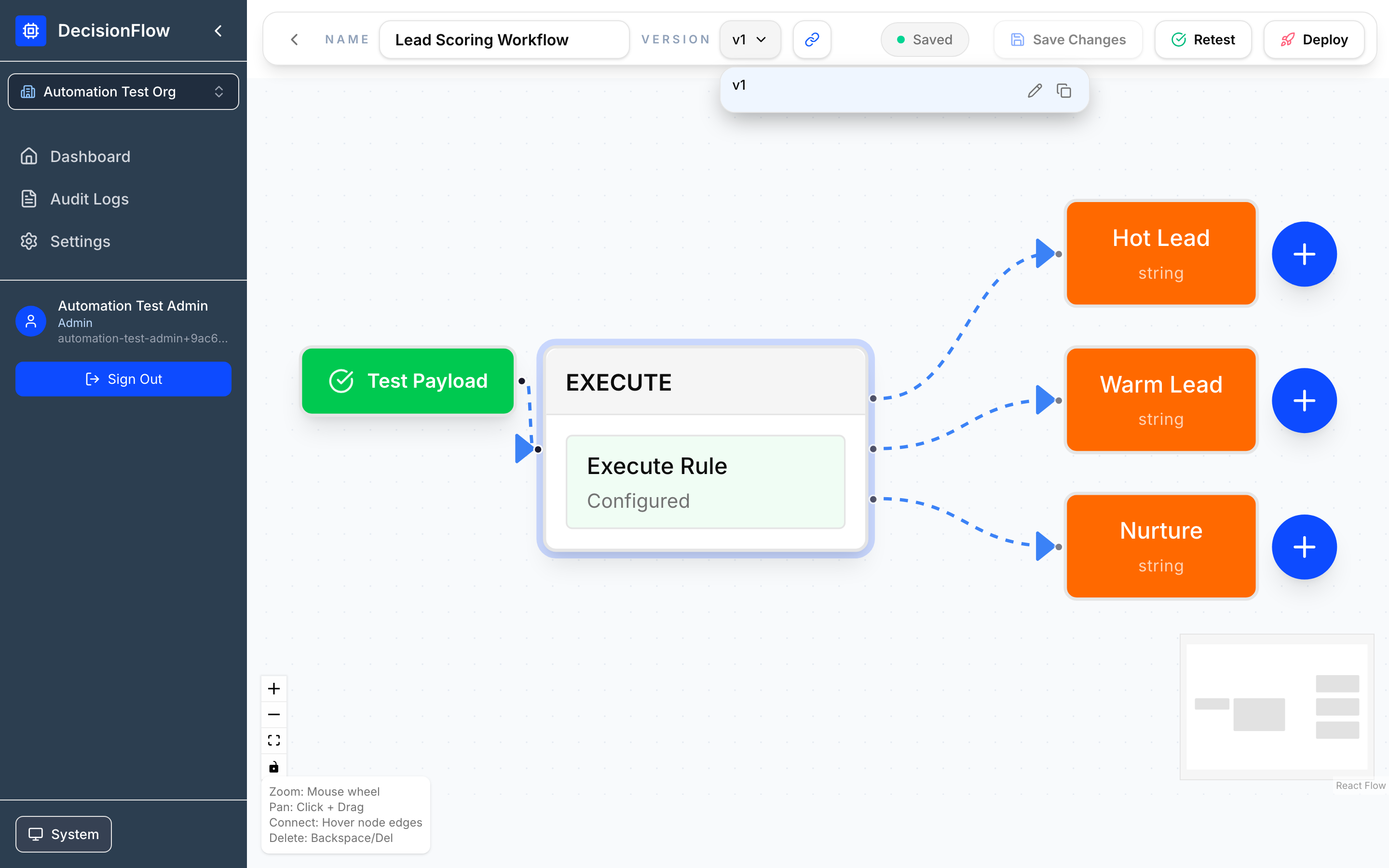
The editor is a visual canvas. A workflow begins with input data, evaluates rule nodes, and ends at a result.
Access Requirements
- Admins and Editors can modify workflow logic and save changes.
- Viewers can open workflows in read-only mode and cannot save changes.
Entering Lead Payload Steps
- Configure the Start/Test Payload node with representative lead data.
- Click the Node
- Click the drop down arrow
- Click “Save as new Template” or leave as Custom
- Enter/Save Template Name
- Paste the below payload (JSON) into the following section
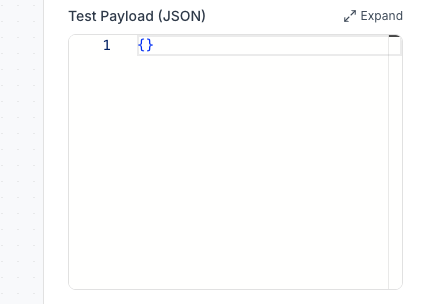
{
  "company": "Acme Manufacturing",
  "industry": "Manufacturing",
  "employeeCount": 85,
  "annualRevenue": 2500000,
  "source": "Referral",
  "requestedDemo": true,
  "budgetConfirmed": true
}- Click the PLUS to Add an EXECUTE rule node.
Entering Rule and Result Paths
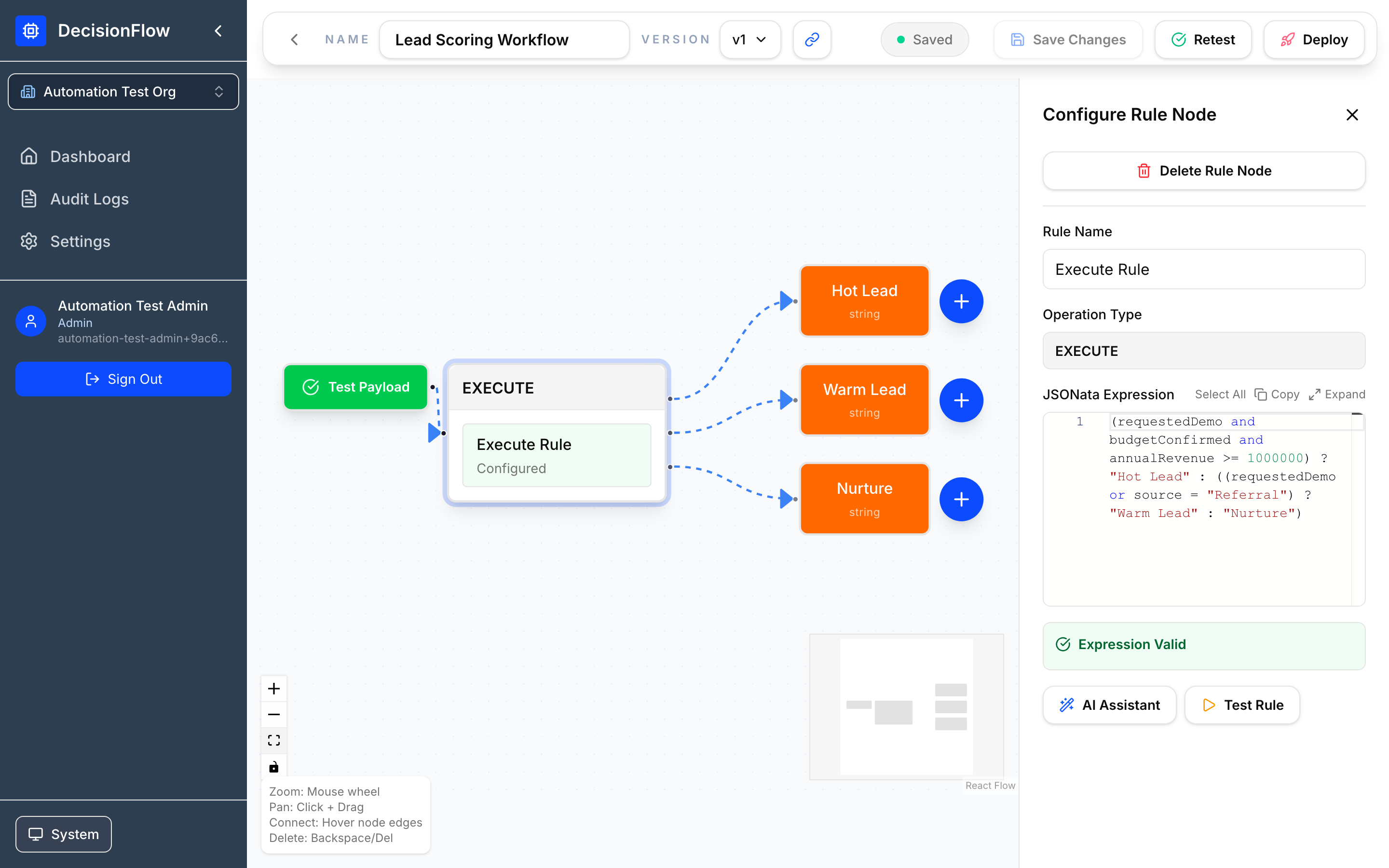
Rule nodes contain business logic. DecisionFlow uses JSONata expressions for evaluation.
Lead scoring expression
(requestedDemo and budgetConfirmed and annualRevenue >= 1000000) ? "Hot Lead" : ((requestedDemo or source = "Referral") ? "Warm Lead" : "Nurture")- Returns
Hot Leadwhen the lead requested a demo, has confirmed budget, and revenue is at least 1,000,000. - Returns
Warm Leadwhen the lead requested a demo or came from a referral. - Returns
Nurturefor lower-intent leads.
Create a clearly named result node for each possible output. Descriptive output names simplify testing and audits.
Steps:
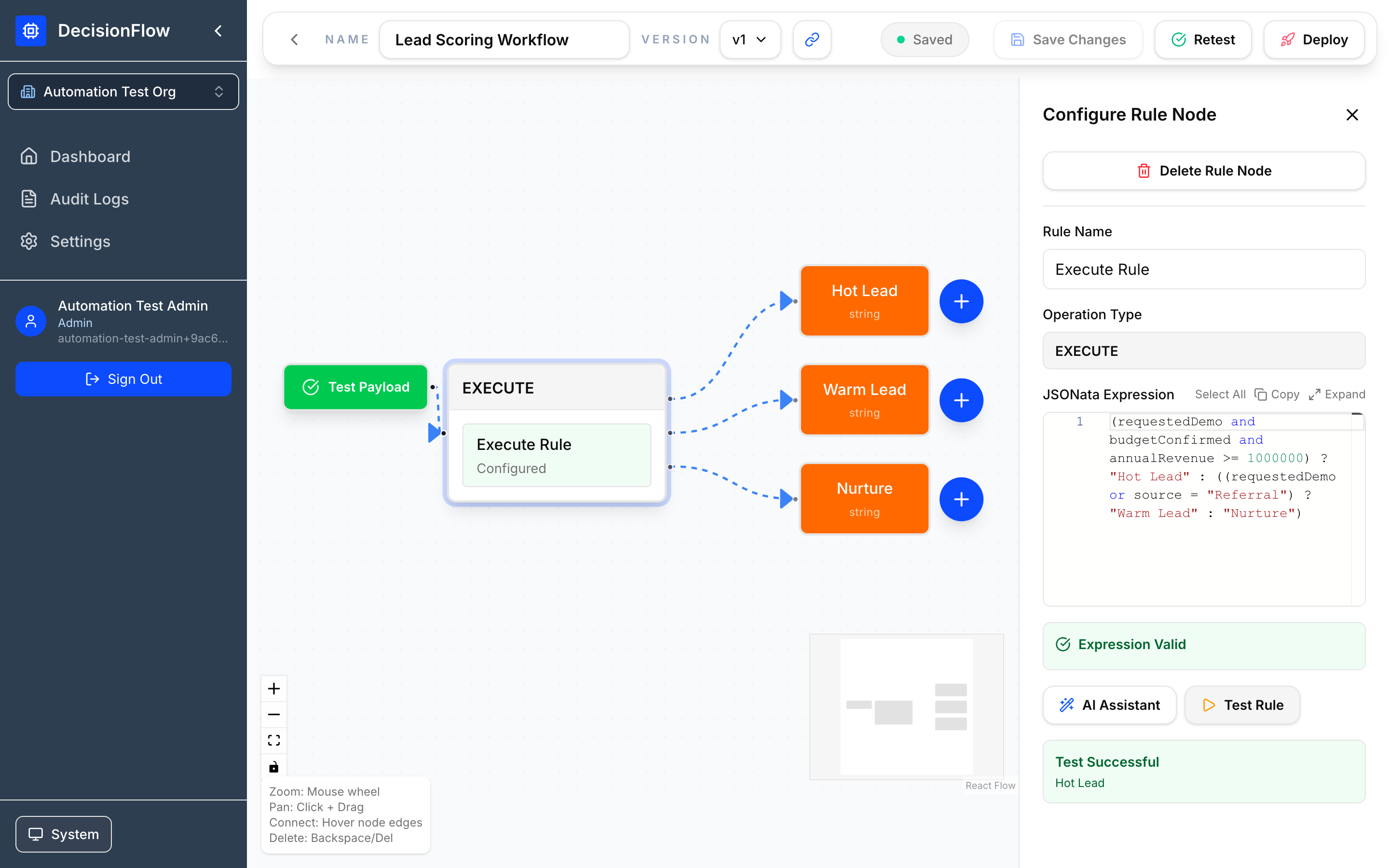
- Enter the lead scoring expression above. The
Hot Lead,Warm LeadandNurtureresults will appear automatically. Expression Valid notification should appear. - Click “Test Rule” to test the rule.
- Save the workflow as a draft. Click Save Draft on the top tool bar.
Key editor controls
- Save Draft / Save Changes: Persist changes.
- Test Workflow: Run against a sample payload.
- Version selector: Open and label versions.
- Deploy / Undeploy: Publish or remove a production version.
Testing a Workflow
Permissions
Workflow testing is available to Admins and Editors. Viewers can review previous test results but cannot execute tests.
Testing Steps
- Select Test Workflow. Located at top tool bar.
- Provide a lead payload such as the Acme Manufacturing example.
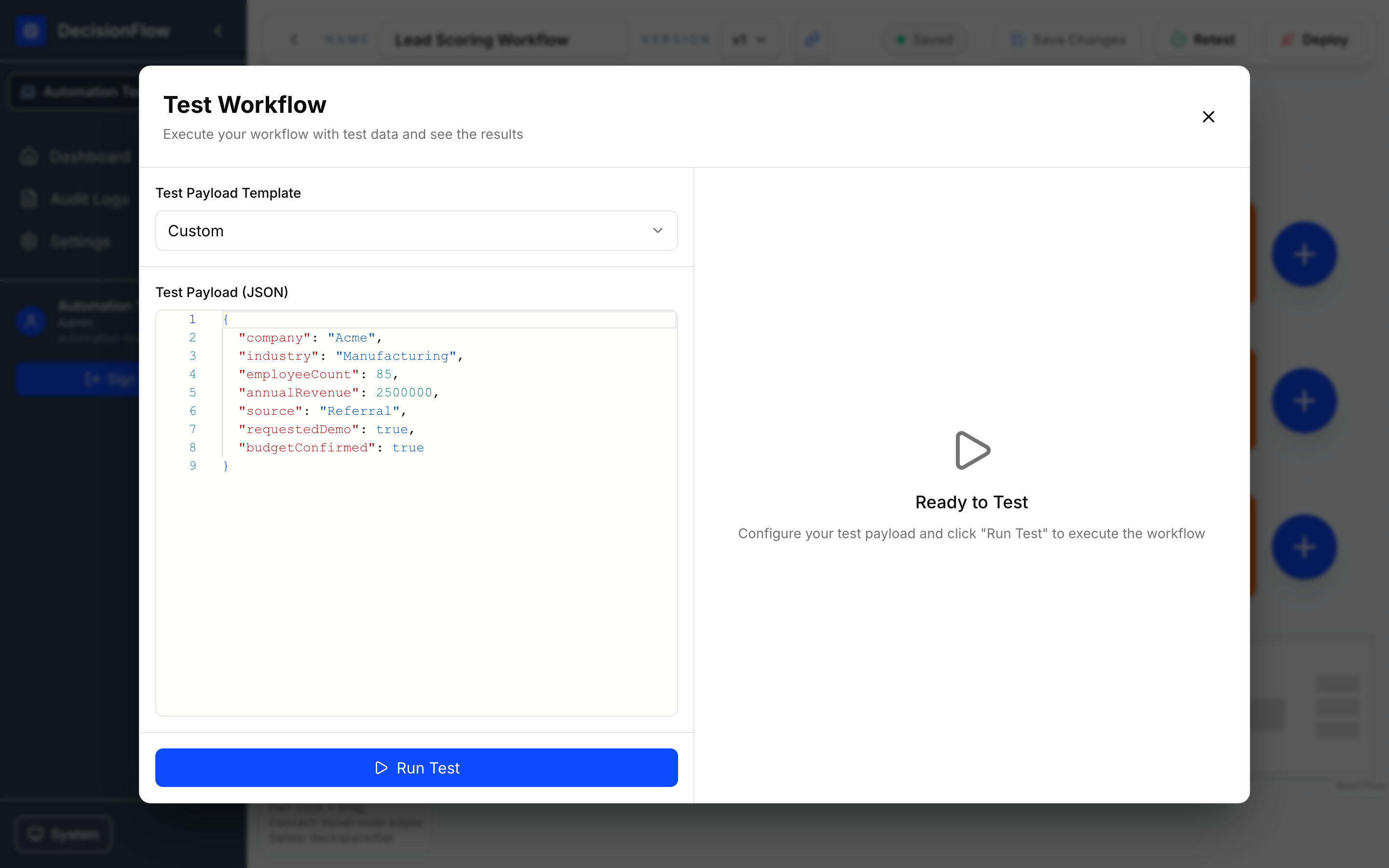
- Run the test.
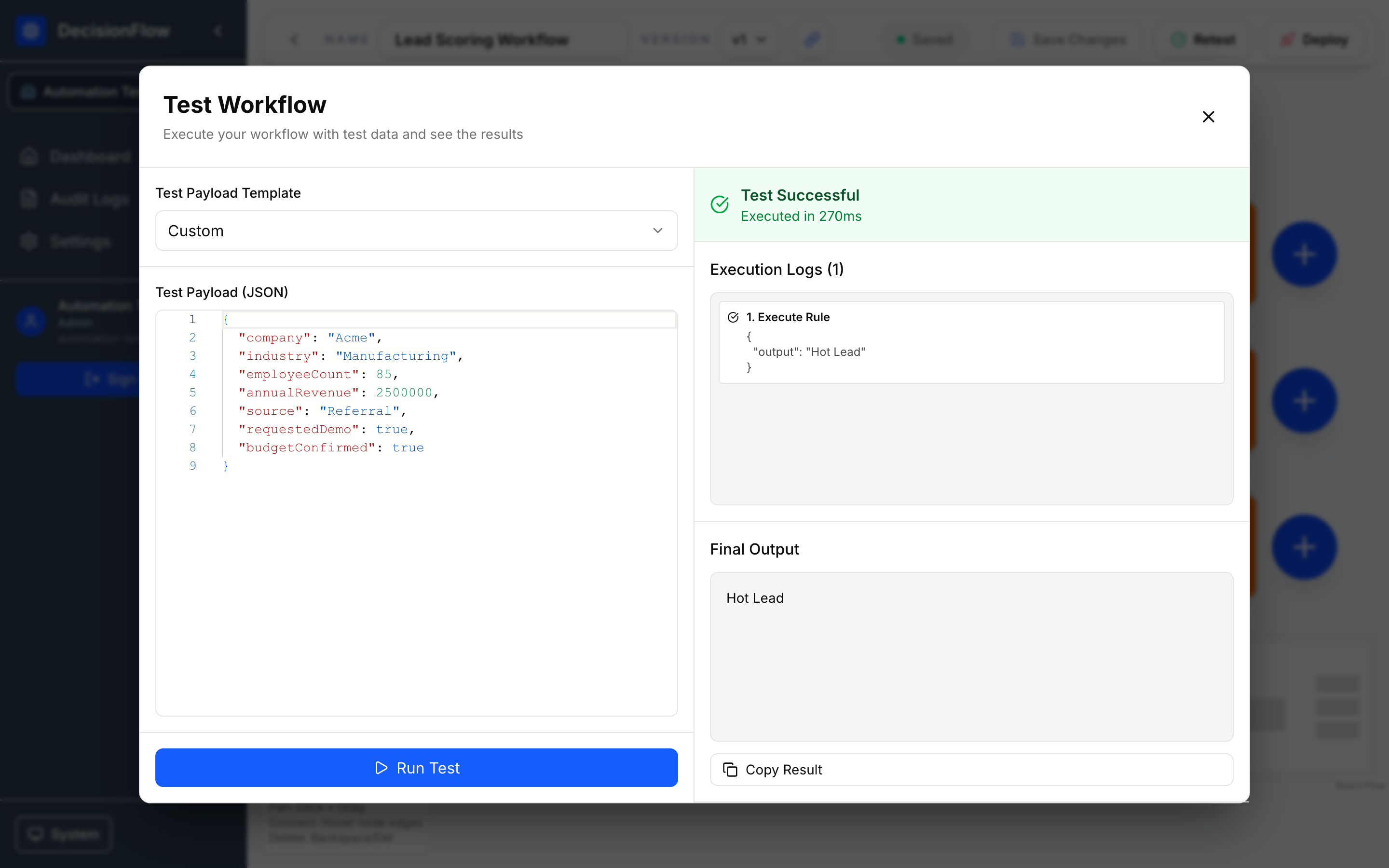
- Review the returned score, execution logs, timing, and any errors.
With requestedDemo: true, budgetConfirmed: true, and annualRevenue: 2500000, the expected result is Hot Lead.
Versions and Publishing
Versions are named snapshots of a workflow. Publishing makes a selected version available via the production endpoint.
Permissions
- Admins can create versions and deploy or undeploy production releases.
- Editors can create and manage versions but cannot deploy them.
- Viewers can review version history only.
Recommended release flow
- Save the workflow.
- Test with realistic payloads.
- Create or select a version, e.g.,
v1. - Add a concise description, e.g., Initial lead scoring rules.
- Publish/deploy the validated version by clicking Deploy on top tool bar.
Only one production version should be active at a time. Publishing a new version replaces the currently published version.
Importing and Exporting Workflows
Admin Only: Importing and exporting workflows is restricted to Admin users.
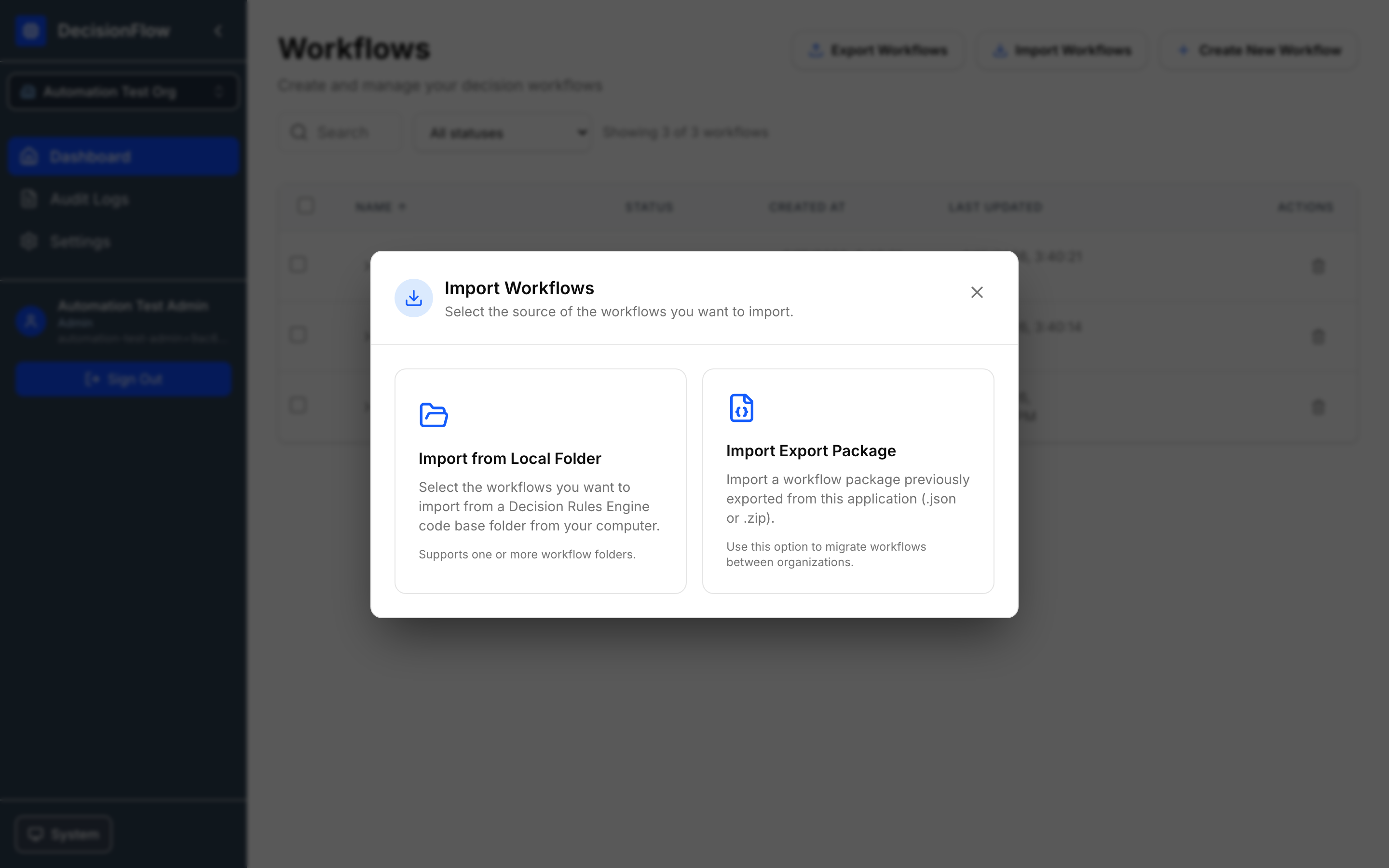
Import brings workflow definitions into the current DecisionFlow organization from either a local workflow folder or a previously exported workflow package.
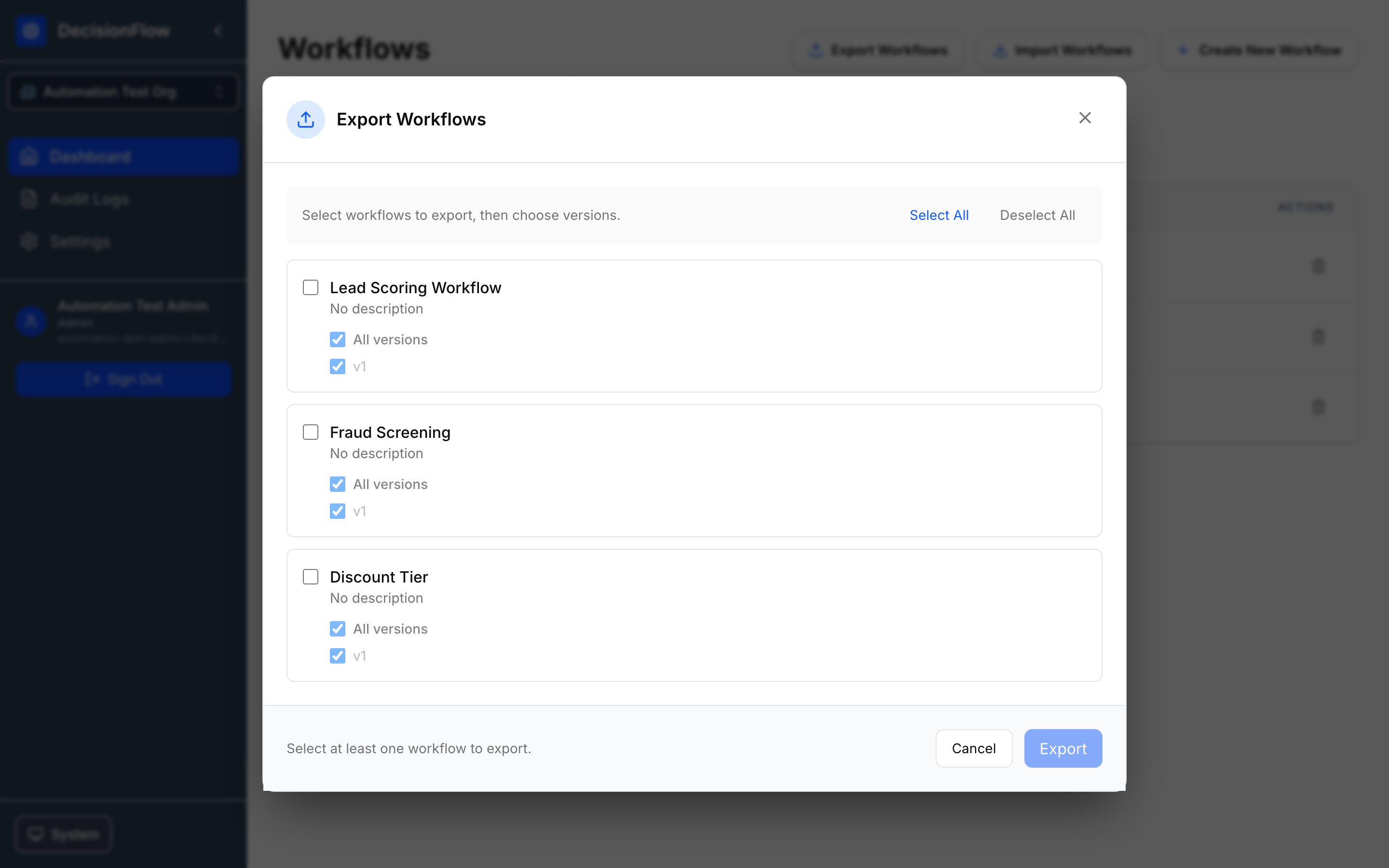
Export for backups, code review, migration, or promotion between environments. Select one or more workflows and the versions to include.
Importing
Import allows you to bring workflow definitions into DecisionFlow from either:
- A local workflow folder on your computer
- A workflow package previously exported from DecisionFlow
Common use cases include migrating workflows between organizations, restoring exported workflows, or importing workflow definitions from an external source.
Import Methods
Import from Folder:
Use Import from Folder when you have workflow definitions stored in a local directory on your computer.
Select a Decision Rules Engine code base folder containing one or more workflow definitions to import into the current organization.
Import Export Package:
Use Import Export Package when importing workflows that were previously exported from DecisionFlow.
This option is commonly used to:
- Migrate workflows between organizations
- Move workflows between environments
- Restore previously exported workflow packages
Supported formats:
.json.zip
Import Steps
- Open Dashboard.
- Select Import Workflows.
- Choose one of the following:
- Import from Folder — Import workflow definitions from a Decision Rules Engine code base folder on your computer.
- Import Export Package — Import workflows previously exported from DecisionFlow.
- Select the folder or package to import.
- Review validation messages and any detected issues.
- Complete the import.
- Open the imported workflow and run a test before publishing or deploying.
Notes
- Imported workflows are added to the currently selected organization.
- Workflow packages imported through Import Export Package may contain workflows exported from another organization.
- Validation must pass before imported workflows can be tagged or deployed.
- Review imported workflows and execute a test run to verify expected behavior.
Exporting
Export creates a workflow package that can be stored, shared, or imported into another DecisionFlow organization.
Select one or more workflows and choose which versions to include in the export package.
Export Steps
- Open Dashboard.
- Select Export Workflows.
- Select one or more workflows to export.
- Choose the version(s) to include for each workflow.
- Select Export.
- Save the generated export package to your computer.
Notes
- Multiple workflows can be exported in a single package.
- You can export all versions or select specific versions.
- Exported packages can be imported into another DecisionFlow organization using Import Export Package.
- Exporting does not modify the original workflows.
Audit Logs
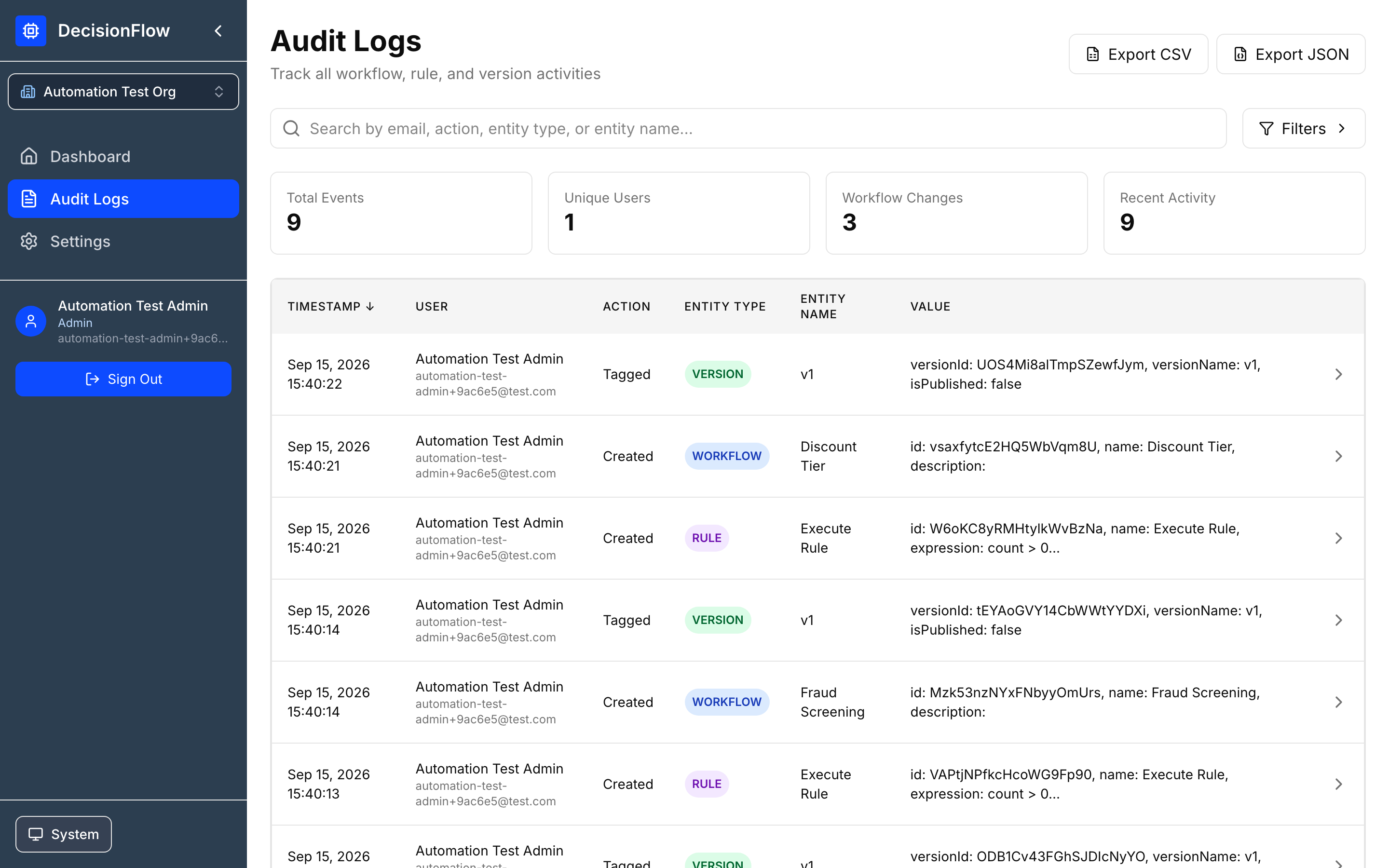
Audit Logs capture activity for workflows, rules, versions, users, and other tracked actions. Use search and filters (action, entity type, user, date range). Export results to CSV or JSON.
Audit Logs can be viewed by all roles. Permissions determine whether users can only review activity (Viewer) or perform actions that generate audit records (Editor and Admin).
Answer typical questions
- Who changed the scoring expression?
- When was
v1created? - Who published or unpublished the workflow?
- Was a workflow deleted or imported?
Settings
Settings are organized into tabs. Availability depends on your role.
Profile
Update account details such as display name and profile information.
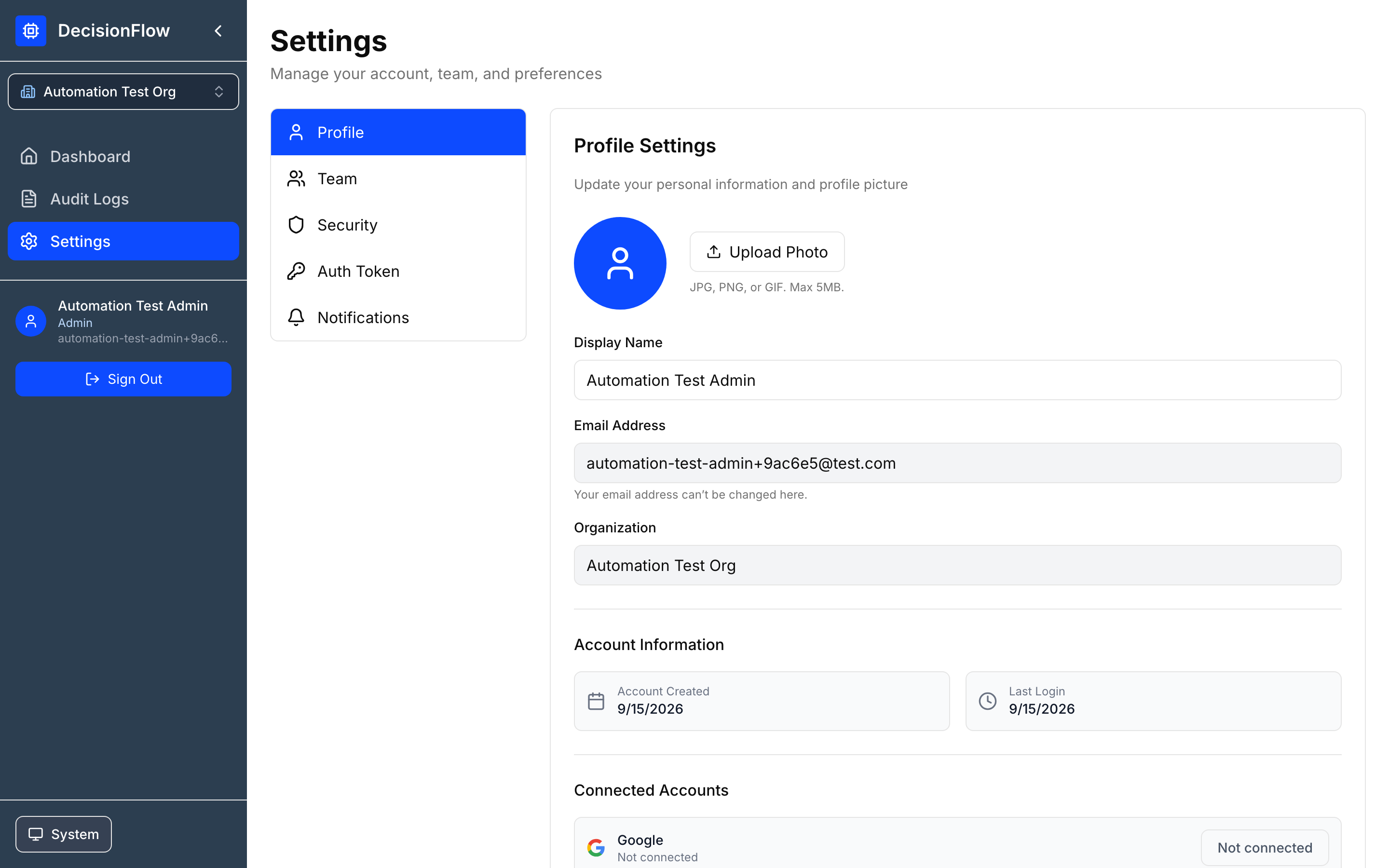
Settings are organized into tabs. Available options depend on your role.
| Setting | Admin | Editor | Viewer |
|---|---|---|---|
| Profile | ✓ | ✓ | ✓ |
| Team Management | ✓ | ✗ | ✗ |
| Security | ✓ | ✓ | ✓ |
| Organization Auth Token | ✓ | ✗ | ✗ |
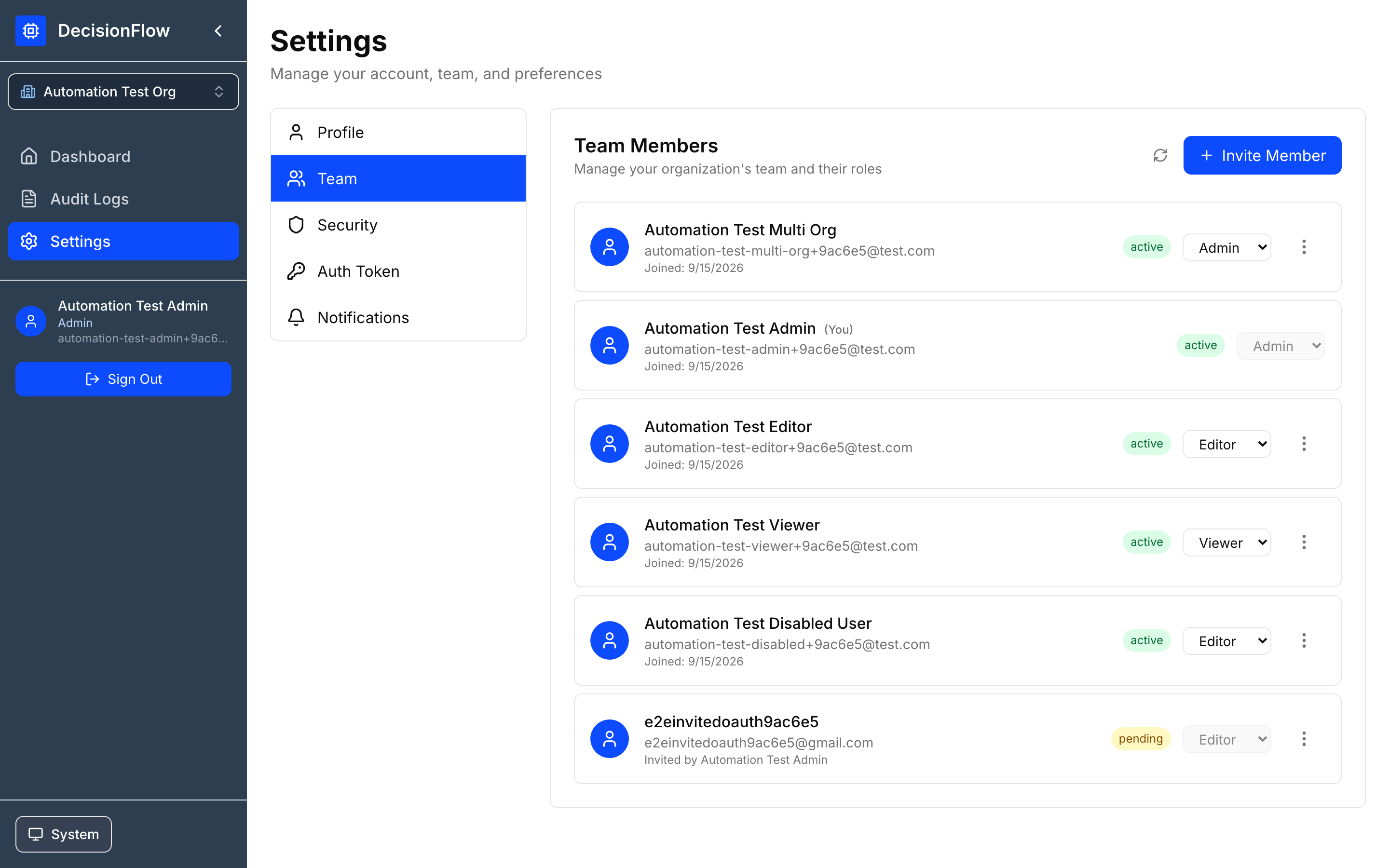
Team
Admins can invite users, manage pending invitations, update roles, and remove members. Add sales-ops users as Editors if they will maintain the lead scoring workflow.
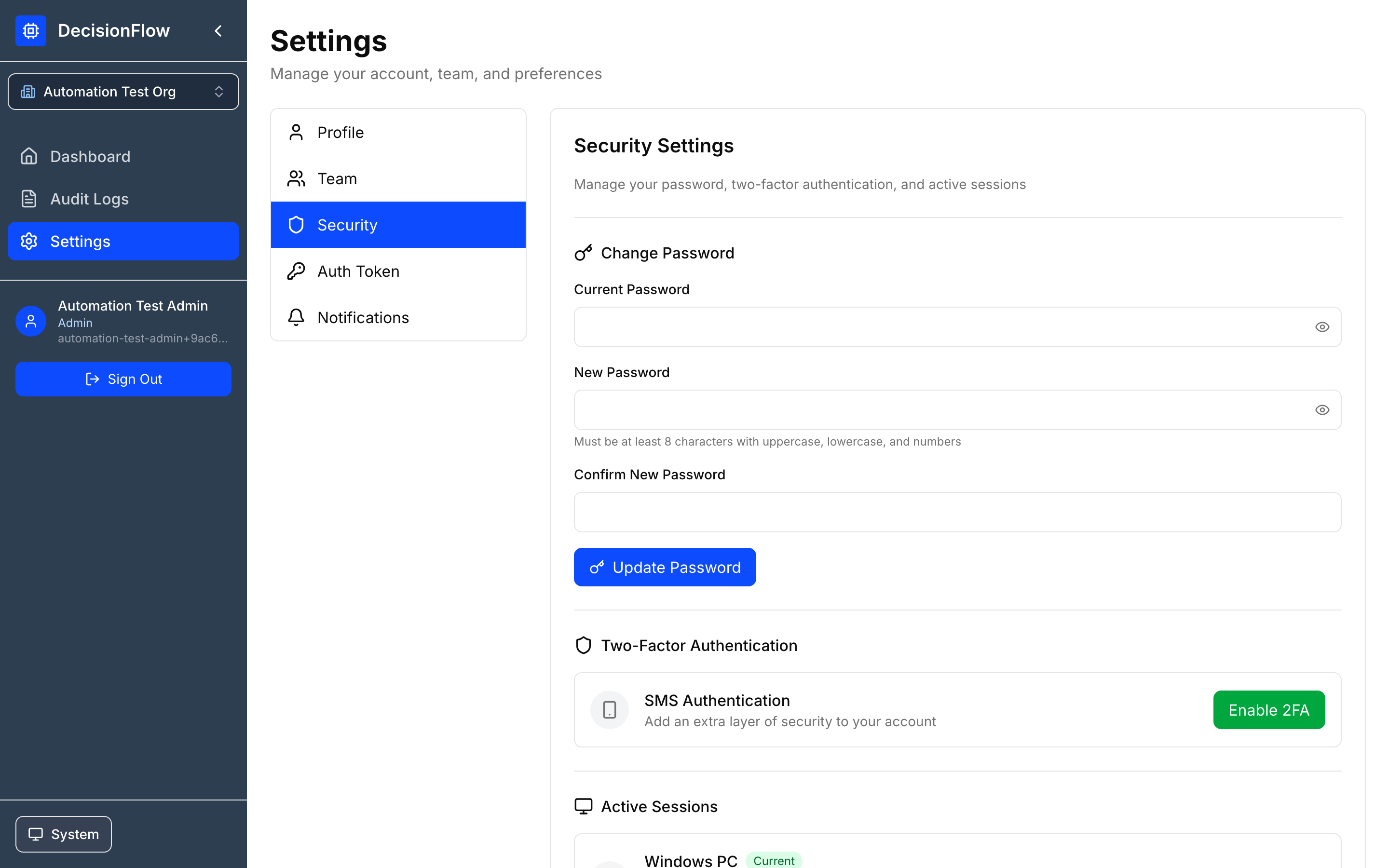
Security
Manage password changes, two-factor authentication, active sessions, session termination, and login history.
Organization Auth Token
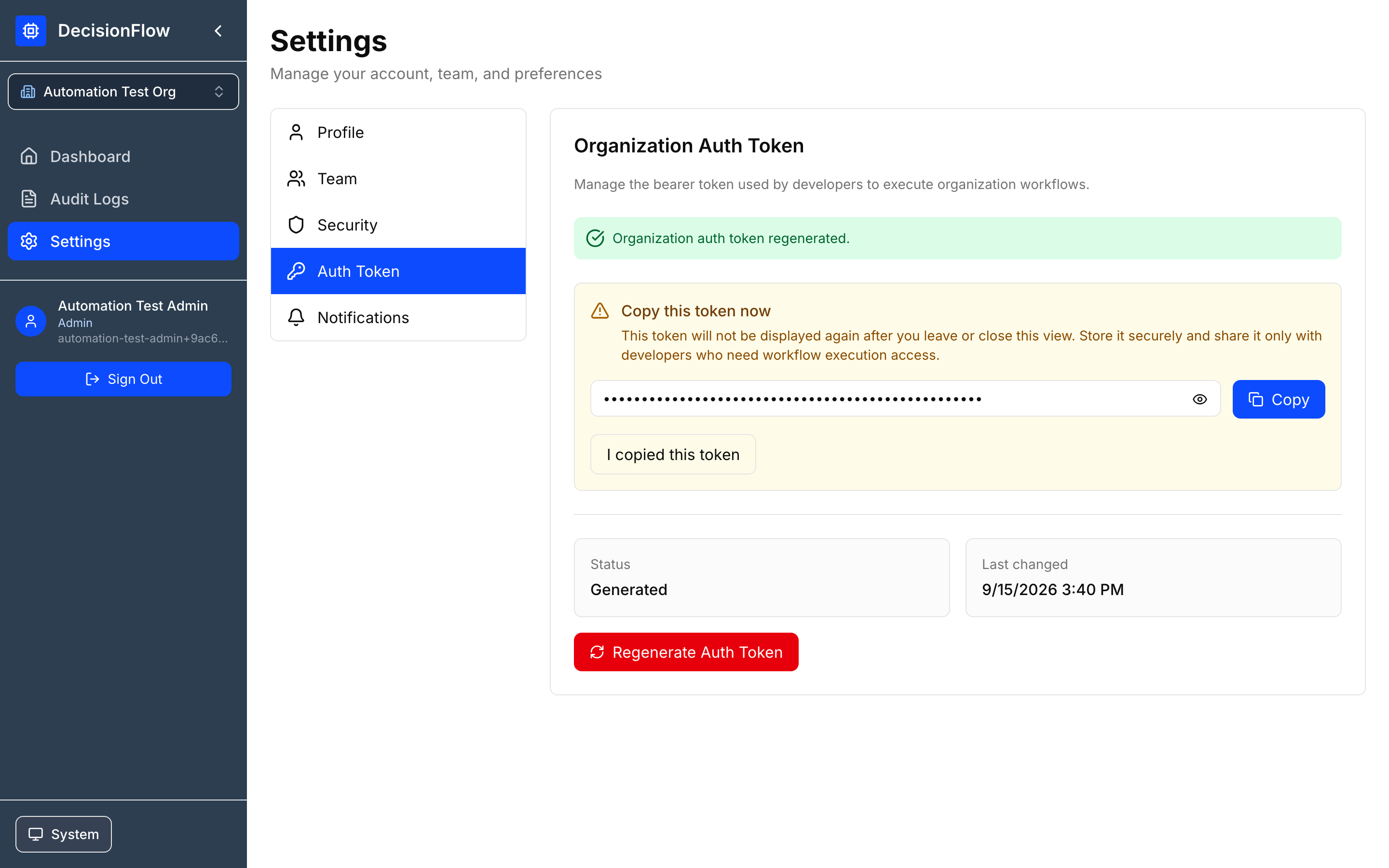
Admins manage the bearer token used by developers and integrations to execute workflows. Treat it as a secret: store securely, rotate if exposed, and never embed in client-side code.
Admin Only: Only Admins can view, generate, or regenerate organization auth tokens.
Generating Auth Token
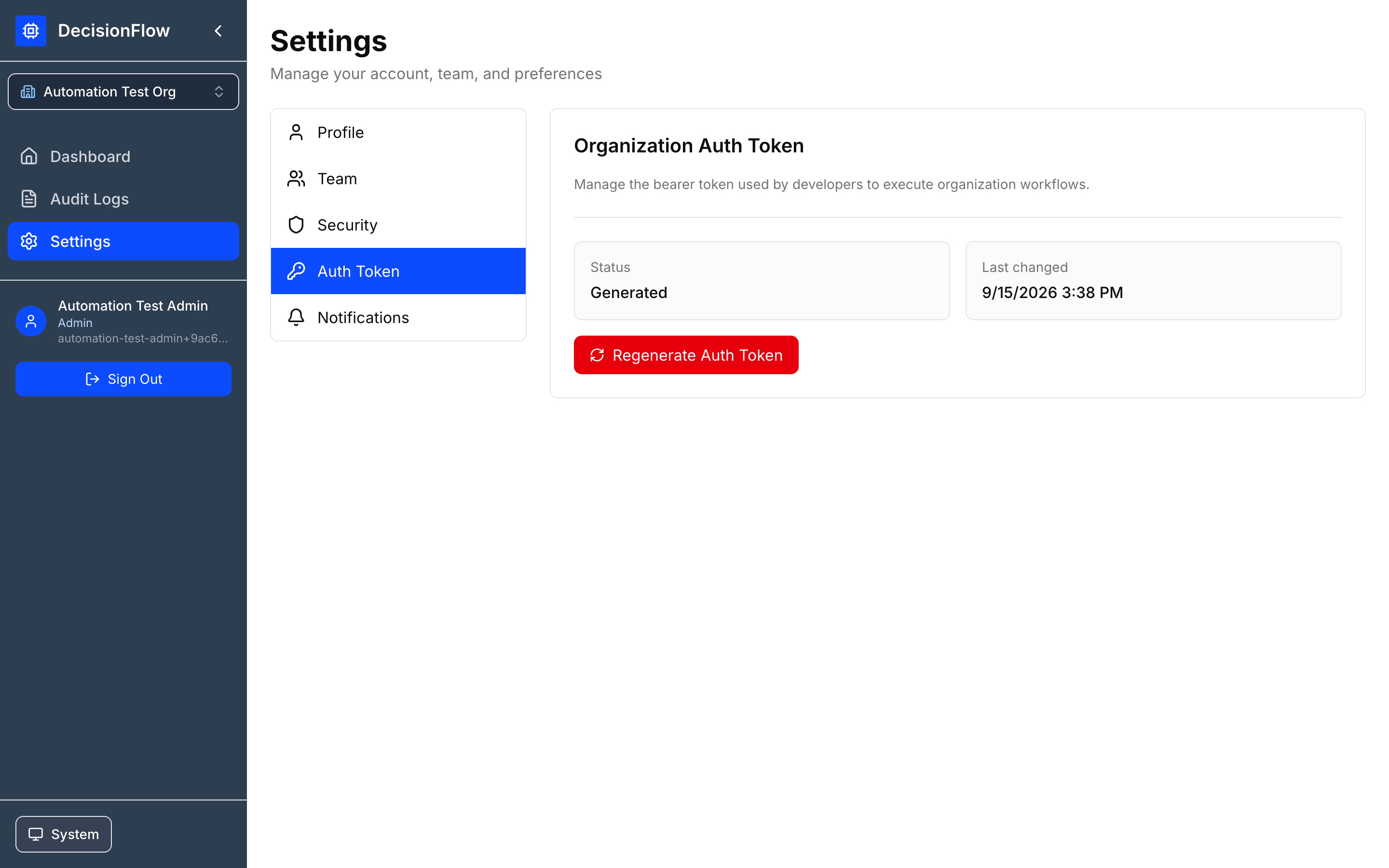
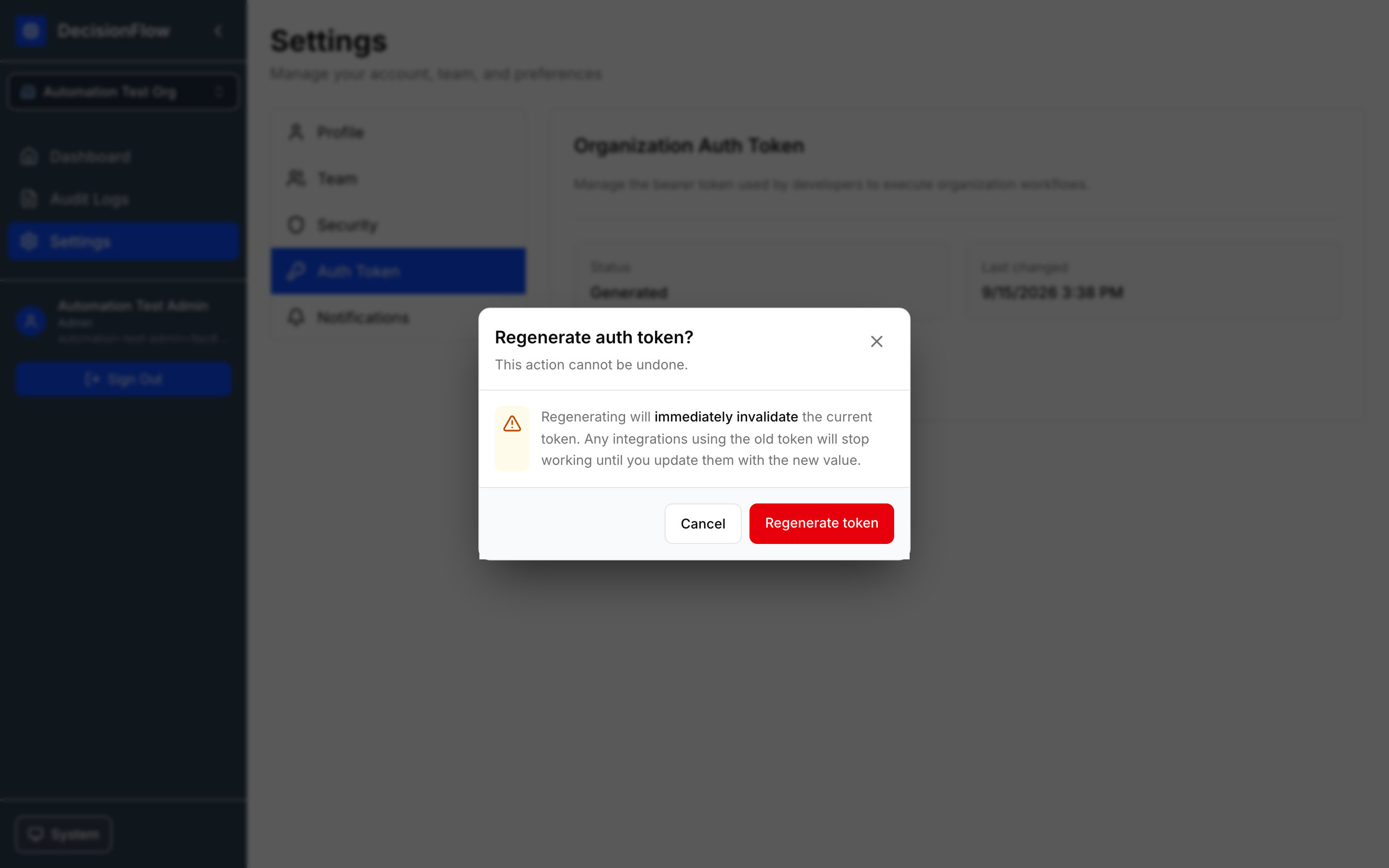
RE-generating Auth Token
Settings → Auth Token → Regenerate Auth Token
Persmission Summary
| Action | Admin | Editor | Viewer |
|---|---|---|---|
| View Workflows | ✓ | ✓ | ✓ |
| Create Workflows | ✓ | ✓ | ✗ |
| Edit Workflows | ✓ | ✓ | ✗ |
| Test Workflows | ✓ | ✓ | ✗ |
| Create Versions | ✓ | ✓ | ✗ |
| Deploy/Undeploy | ✓ | ✗ | ✗ |
| Import Workflows | ✓ | ✗ | ✗ |
| Export Workflows | ✓ | ✗ | ✗ |
| Delete Workflows | ✓ | ✗ | ✗ |
| View Audit Logs | ✓ | ✓ | ✓ |
| Manage Team Members | ✓ | ✗ | ✗ |
| Manage Auth Tokens | ✓ | ✗ | ✗ |
Testing from Postman
- Copy workflow’s version url
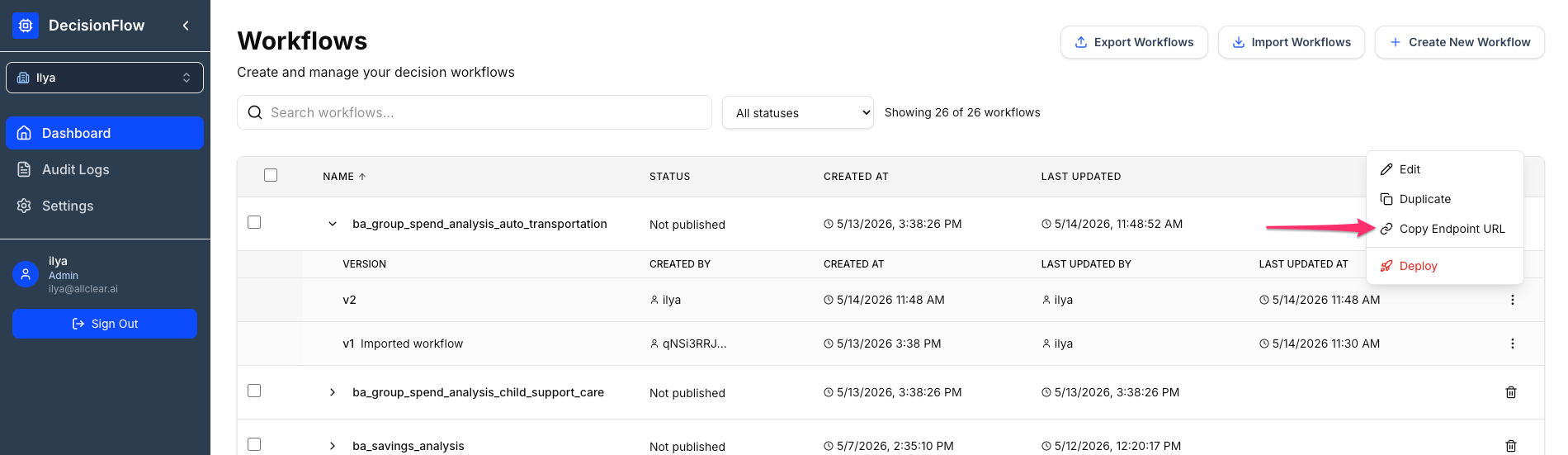
- Paste workflow version url into Postman
- Set call method to
POST - Click on
Authorizationtab and selectAuth Type->Bearer Token - Get auth token from Org admin and paste it
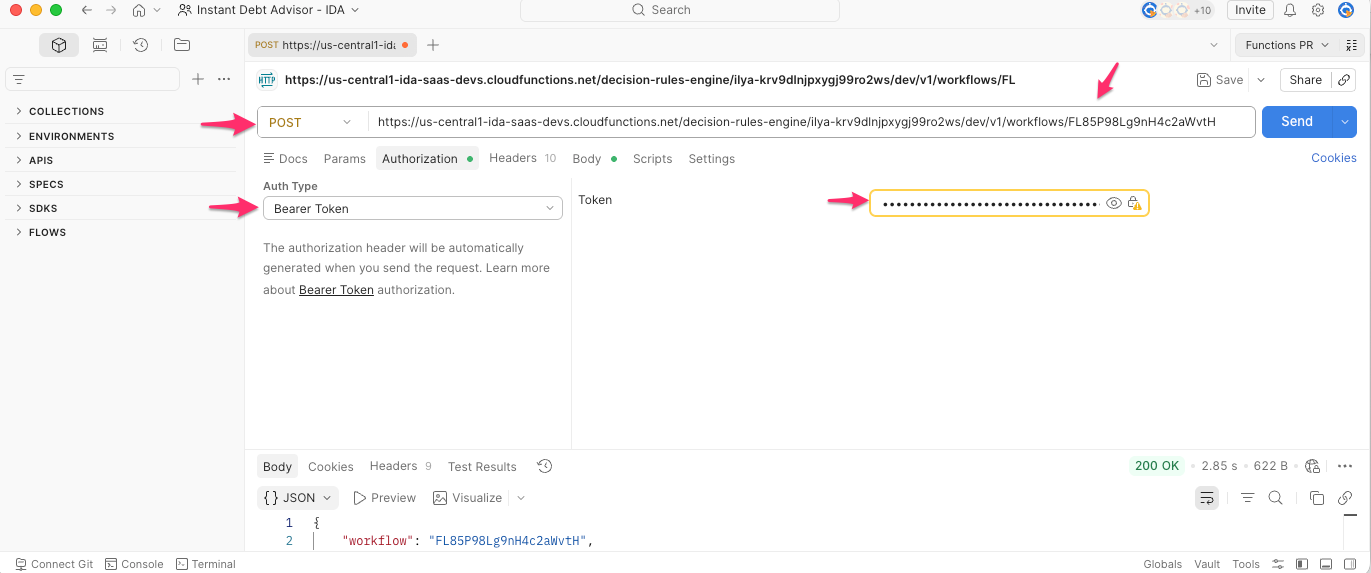
- Click on
Bodytab, selectrawand paste request json to test with - Click send to get the response
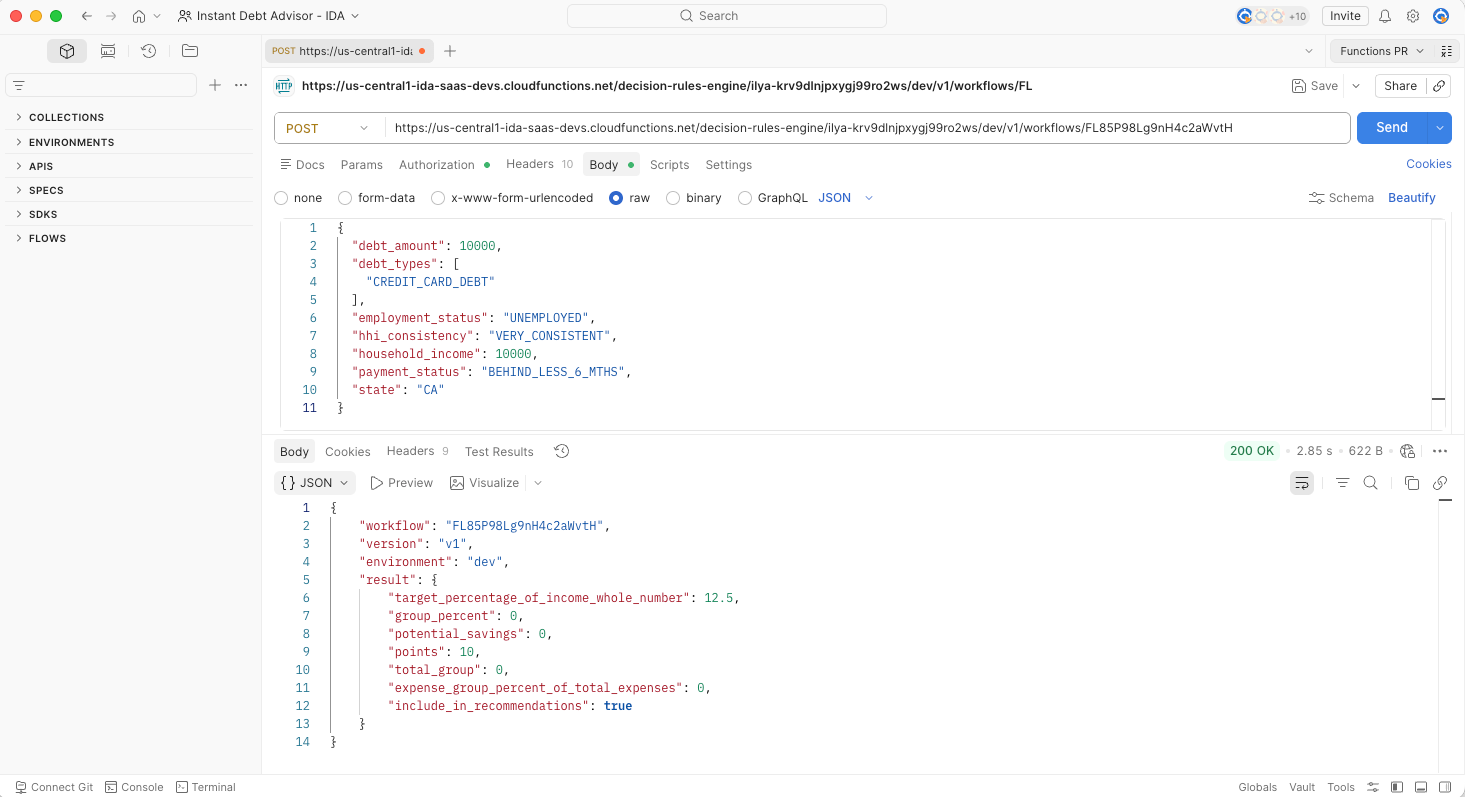
NOTE: Deployed production url format is different from non-deployed. It does not include version because it always tests the deployed version only. There can be only one deployed version at a time.
Troubleshooting
I cannot see my lead scoring workflow
- Confirm the correct organization is selected.
- Check whether your role allows workflow access.
- Ask an organization admin to verify your membership.
Publishing is disabled
- Save the workflow and ensure tests are successful.
- Use a named version (not only a draft).
- Confirm your role allows publishing.
My rule test fails
- Confirm the payload is valid JSON.
- Ensure field names match the expression exactly (e.g.,
annualRevenue,requestedDemo,budgetConfirmed). - Check JSONata syntax validity.
- Ensure each output (
Hot Lead,Warm Lead,Nurture) connects to a result path.
The endpoint returns the wrong score
- Verify the intended version is published.
- Confirm the caller is using the correct endpoint (development vs. production).
- Retest the same payload in DecisionFlow to compare.
- Review Audit Logs for recent changes or deployments.
Best Practices
- Use realistic sample payloads for development and testing.
- Give workflows and rules business-readable names.
- Keep version descriptions short and specific.
- Test with examples for each output category before publishing.
- Review audit logs after high-impact edits or deployments.
- Protect organization auth tokens and rotate when necessary.
Reference: Lead Scoring Walkthrough Summary
- Create Lead Scoring Workflow on the Dashboard.
- Add an EXECUTE rule with the JSONata expression.
- Connect outputs to results:
Hot Lead,Warm Lead,Nurture. - Test with the Acme Manufacturing payload and verify Hot Lead.
- Save changes, create version v1, add a description, and publish.